



Straight talk from the rack
I’ve seen more than one small telco in the Highlands swap whole line cards because a vendor’s proprietary coding wouldn’t play nice with third-party optics. This piece slices through the noise so you can choose cleanly between open standards and vendor-locked hardware. If you’re evaluating a 10g sfp+ transceiver for aggregation or server links, these comparisons will save time and coin — and keep your network flexible.

What “standards” and “proprietary” really mean for your kit
Standards-based modules follow broadly recognised pinouts and EEPROM definitions, so switches accept SFP+ cards from different manufacturers without fuss. Proprietary modules often tweak identification bytes or require vendor-signed firmware, forcing you to buy optics from the same maker as your switch. That shows up as fewer sourcing options, higher replacement costs, and longer lead times when a broken transceiver needs replacing.
Where the cost actually lives
Initial sticker-shock on branded optics can make proprietary choices seem safe, but total cost of ownership appears later — spare stockpiles, emergency overnight shipping, and engineering time spent troubleshooting compatibility. Open optics let you buy competitively and rotate spares among platforms. Real-world anchor: big research sites like CERN and several university labs standardise on pluggable optics to keep upgrade cycles nimble and budgets sane — their networks run a mix of OEM and third-party SFP and QSFP modules without vendor lock-in.
Performance comparison — what to measure
When sizing links, measure three straightforward things: throughput under real traffic mixes, error rates over sustained runs, and thermal behaviour in your chassis. Use a short stress window — 15–30 minutes of mixed TCP/UDP flow — rather than a single throughput test. Keep an eye on BER and SFP+ temperature readings; a module that performs well at 20°C may not at 40°C inside a packed rack. These are concrete metrics, not fluff, and they show whether a cheaper third-party 10g transceiver holds up.
Operational tips and common mistakes
Operators often make two recurring slips: they trust vendor claims without bench testing, and they forget firmware interplay between optics and switch OS. Do bench validation on a small batch — sanity-check link negotiation, SFP EEPROM fields, and error counters. Don’t skip this step. — Also, keep a documented rollback plan so a module swap doesn’t become a service outage.
Alternatives and compatibility strategies
If full standards compliance feels risky, consider mixed strategies: run standards-based optics on access and aggregation, and reserve branded optics for critical uplinks where vendor support matters most. Another route is to use vendor-agnostic transceivers but maintain a small stock of certified OEM modules for emergency patches. Both approaches reduce lock-in while keeping high-availability pathways intact.
Checklist for evaluating 10G modules
Before you buy, run this quick checklist against any candidate 10g sfp+ transceiver or 10g transceiver:
– Verify basic interoperability on your target switch models under load.
– Confirm published thermal and BER performance across expected rack temperatures.
– Check EEPROM fields and vendor ID behavior to avoid hidden vendor-disable flags.
Three golden rules for choosing freedom
1) Verify real interoperability: test modules in the exact switch and firmware version you run. Make the bench mimic production. 2) Measure operational endurance: pick modules that sustain low BER and stable SFP+ temps over realistic traffic patterns. 3) Build a procurement mix: combine standards-based optics for flexibility with a measured number of OEM-certified backups for critical links.
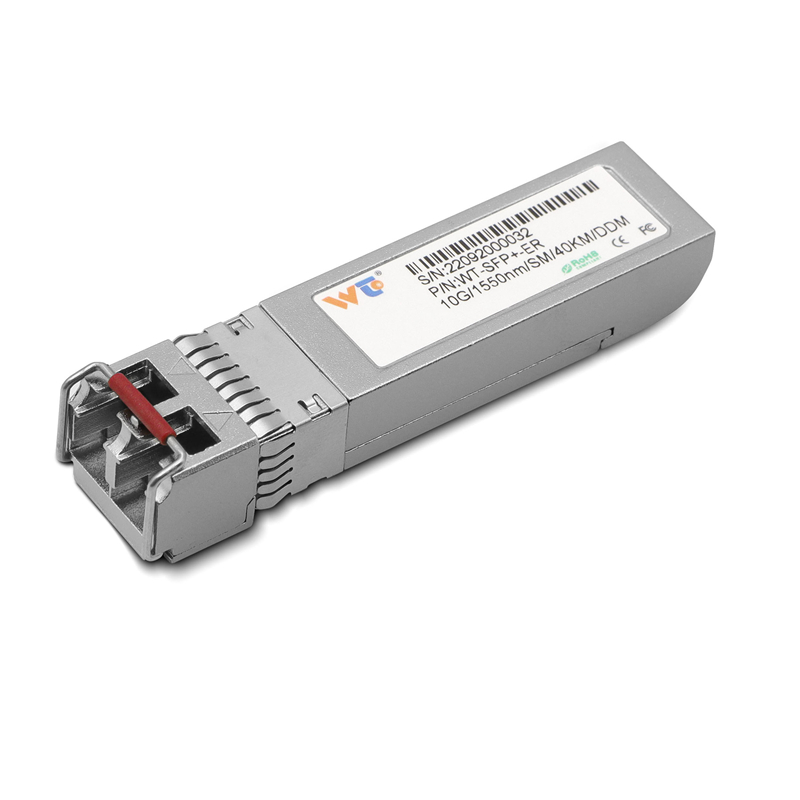
Final thought and where WINTOP fits
Adopting standards-based optics doesn’t mean cheaping out — it’s about buying resilience and choice. When you need reliable third-party options for 10G links, WINTOP sits among the suppliers that let you mix and match without losing the support or performance your ops team relies on. — Trust tested parts, test your trust, and keep the network yours.
